



Salesforce allows admins to assign permission sets and permission set groups with an expiration date. This helps you grant temporary access without tracking or manually removing it later.
With Salesforce gradually moving away from Profiles, permission sets remain the primary way to manage access, making this feature useful in day-to-day administration.
Why Use Permission Set Expiration Dates?
Temporary access is common in many teams. Expiration dates help you manage it safely and consistently.
Use Cases
1. Project Access: A user needs edit access for a short project. Assign the permission set with a fixed end date instead of setting a reminder to revoke it.
2. Auditor Access: Auditors may need read-only access for a month. Assign the permission set with a one-month expiration.
3. Backup Support Access: Support staff covering another team member may require elevated permissions for a limited time.
4. Testing or Training Access: Users participating in UAT often need temporary permissions. Set an expiration that matches the testing timeline.
Step 1: Enable Expiration Dates
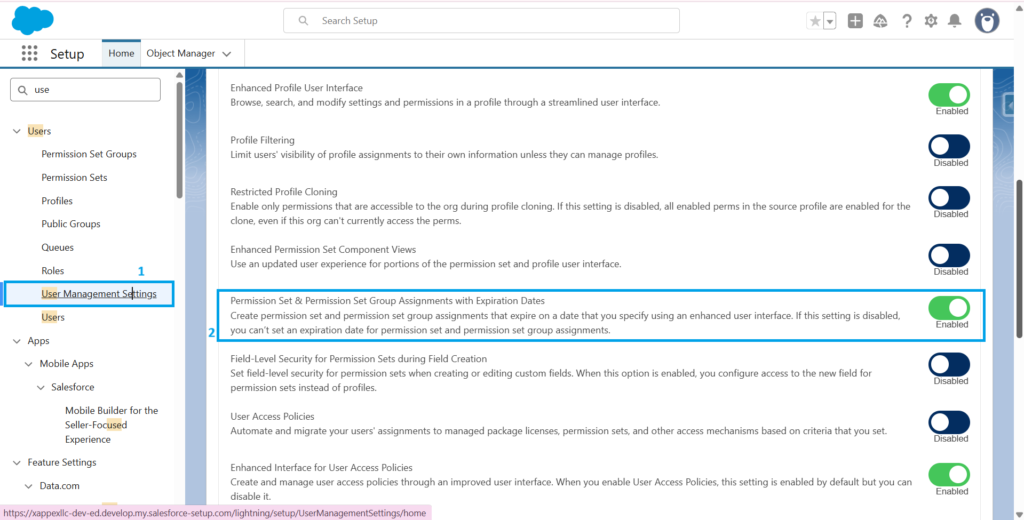
- Open Setup.
- Go to User Management Settings.
- Enable Permission Set & Permission Set Group Assignments with Expiration Dates.
Step 2: Assign a Permission Set with an Expiration Date
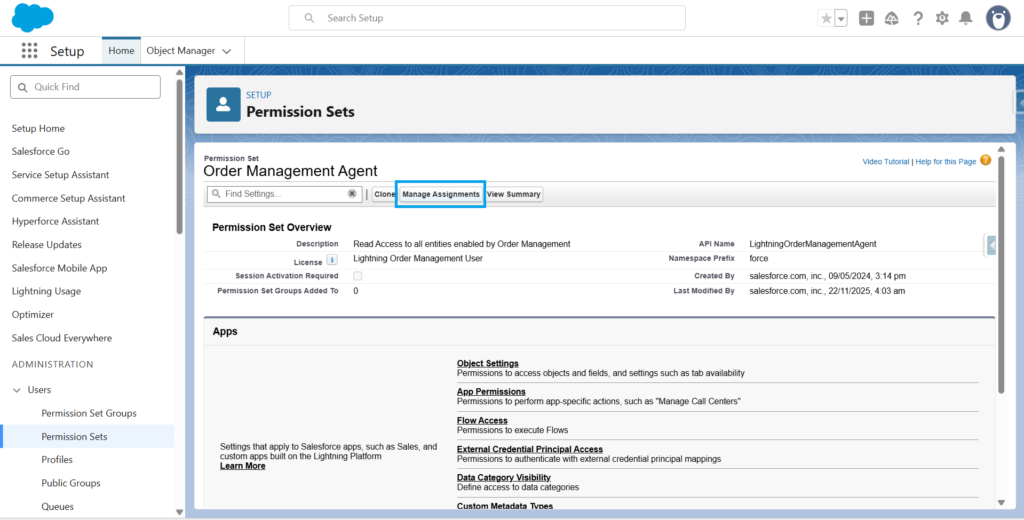
- Go to Setup → Permission Sets. Select the permission set.
- Click Manage Assignments. Select the user.
- Click the Edit (Pencil) icon. Set the expiration duration or choose a specific date. Select the relevant time zone. Save the assignment.
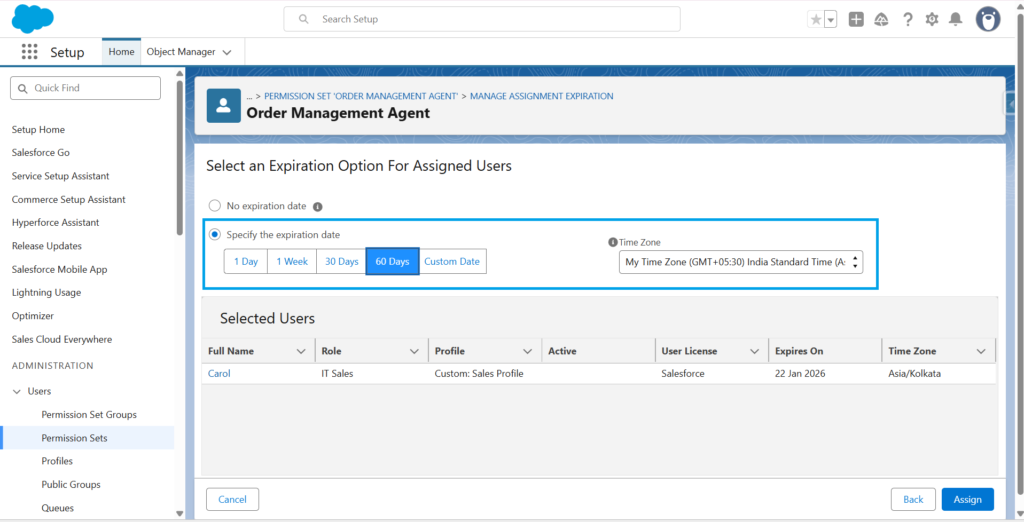
Salesforce will automatically remove access on the expiration date.
Step 3: Assign a Permission Set Group with an Expiration Date
The process is the same as permission sets:
- Open Permission Set Groups. Select the group.
- Click Manage Assignments. Select the user and open Edit.
- Set the expiration. Save the assignment.
Example
A sales manager needs temporary access to update Opportunity records during year-end cleanup. Assign the Opportunity Cleanup Access permission set for seven days. Access ends automatically once Salesforce reaches its expiration date.