

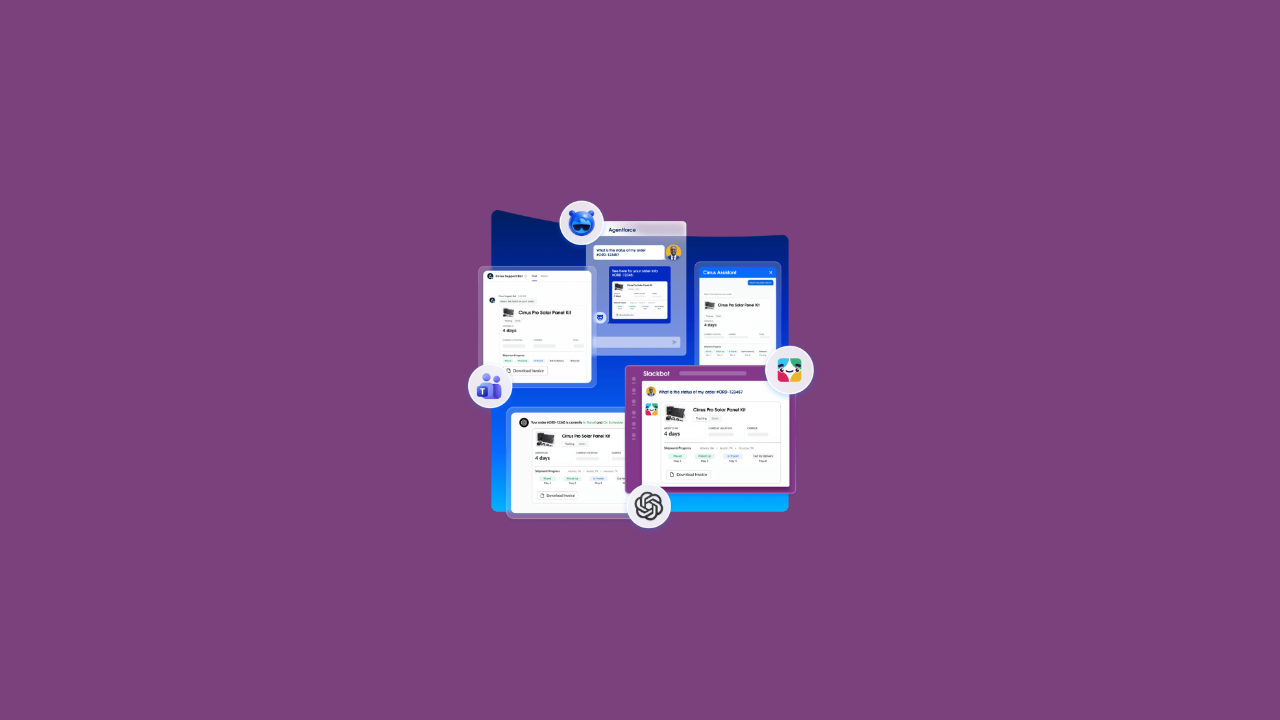
Salesforce says its new AIforce experiences, like Slackforce and Agentforce Coworker, all run on the same foundation: the Headless Toolkit. It sounds like a developer topic, but it matters just as much to admins.
Here’s what “headless” means, what’s in the toolkit and what it changes for your org.
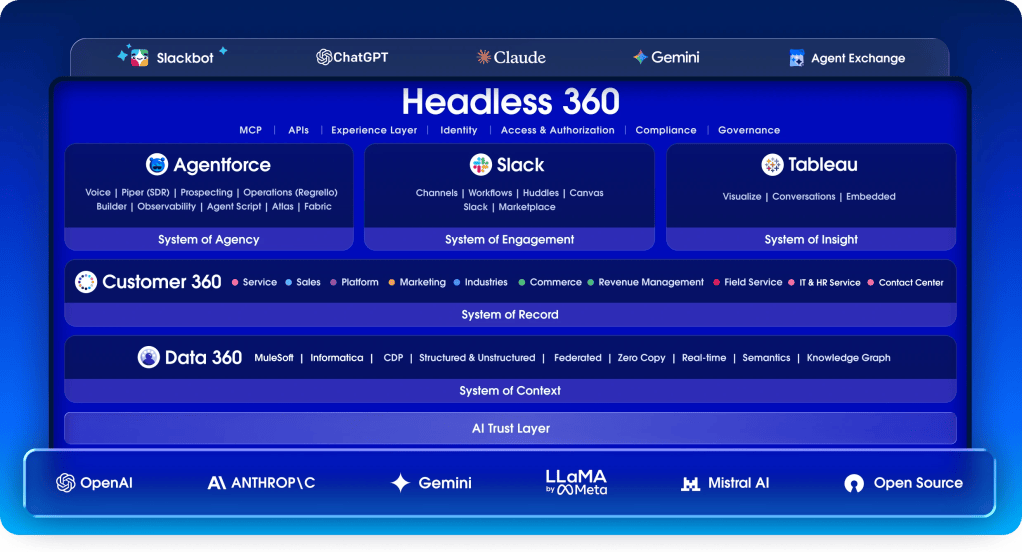
What Does "Headless" Mean?
In software, the “head” is the screen people click through. A headless system keeps its data and logic but doesn’t need that screen. Other programs use its features directly.
The Headless Toolkit makes Salesforce features available in three ways:
- APIs for apps and integrations
- MCP tools for AI agents (MCP, or Model Context Protocol, is an open standard that lets AI tools connect to other systems)
- CLI commands for developers and coding tools
Salesforce says this makes the browser optional, not obsolete. Lightning isn’t going away. People can keep using Salesforce as usual, while AI agents use the same features behind the scenes.
Headless 360 or Headless Toolkit?
They mean the same thing. Salesforce announced Headless 360 on April 15, 2026. Since Dreamforce, Salesforce’s pages mostly call it the Headless Toolkit, though you’ll still see the old name in some places.
What's in the Toolkit?
Salesforce says the toolkit includes 60+ new MCP tools and 30+ ready-made coding skills. Here are the main parts.
MCP Tools
MCP tools are used in two ways:
- By developers: A coding agent like Claude Code or Cursor connects to your org to read metadata, write Apex, run tests and deploy.
- By business users: People
In Winter ’27, you can also expose an Agentforce agent as an MCP tool so outside AI tools can call it. Each call runs as the logged-in user.
Tip: AI tools pick a tool based on its name and description. A clear tool like “Forecast Deal” works better than a vague one like “Sales Agent.”
Skills for Coding Agents
The Salesforce Development plugin for Claude Code teaches the agent Salesforce tasks: creating fields, Flows, permission sets and Apex, running tests and deploying. The same skills are open source, so they work with other coding agents too. Our guide to setting up Claude Code for Salesforce shows how to get started.
Headless Experience Layer (HXL)
Sometimes an agent needs to show a card or a button, not just text. HXL lets you design that once and display it in places like Agentforce, Slack and Claude.
Its status is unclear. Salesforce’s developer guide and product page call it beta, but the Winter ’27 release post lists it without a beta label. Check your release notes.
Multi-Framework
Developers can now build Salesforce apps with React, which is generally available, and Angular, added in Winter ’27. Vue support is coming. It’s included in your platform license and doesn’t replace LWC.
How Agents Stay Under Control
Salesforce lists four checks that apply to every API call, MCP call and CLI command:
- Identity: The agent acts as a specific user.
- Access: Sharing rules, field-level security and permission sets apply.
- Scope: The agent can only use tools that have been explicitly exposed.
- Rules: Validation rules, triggers, approvals and limits still run.
The Point Admins Shouldn't Miss
Agents don’t use page layouts. So any rule that only exists on a page layout doesn’t apply to them.
Example: You make a custom “Close Reason” field required on the Opportunity page layout. Reps in Lightning can’t save without it. But an agent updating the same record through an API skips the layout, so the field can stay blank.
Fix: Use a validation rule instead, such as one that blocks saves when Stage is “Closed Lost” and Close Reason is blank. Validation rules apply everywhere.
Before you open your org to agents, check which important rules live only on layouts.
The Takeaway
The Headless Toolkit lets the same Salesforce features and security rules reach Slack, Claude, coding agents and custom apps. Some parts are ready, others are still in beta. The biggest change is for admins: with agents working outside the browser, your validation rules and permissions do all the protecting.
Next step: Pick one key object, like Opportunity, and list every rule that’s enforced only on a page layout.
Read our AIforce explainer for the bigger picture.